
Expanded Tour Menu: more ways to navigate tours and add resources
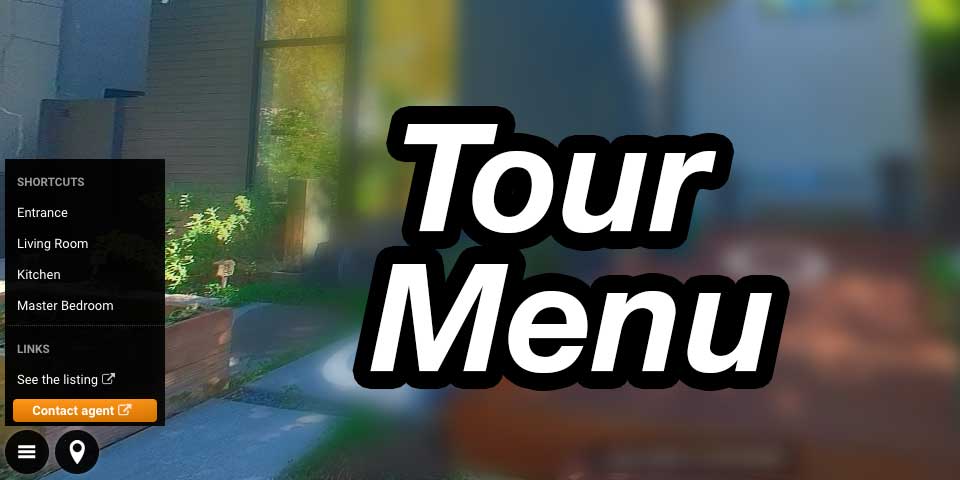
In Kuula, linking between posts has always been possible. You could guide viewers using hotspots or thumbnails, and create shortcuts to posts in the form of a simple menu. The latter feature has now been expanded, giving you more options to organize and present your content!
The updated Tour Menu introduces a compact, always-available menu inside your tour, giving viewers quick access to key locations and content. The difference is not just in what you can link to, but in how you can organize and present it.
With Tour Menu, you can create a structured navigation layer that sits on top of your tour. You can link to any post, as before, but now you can also add external links, organize items using headings and separators, and control how everything is presented. It turns what used to be a set of individual shortcuts into something closer to a full navigation interface.
Organized and editable
The menu itself is fully editable. You can reorder items, customize labels and icons, and style links as buttons when needed. It stays out of the way until opened, but once visible, it gives viewers a clear sense of how to move through the space.
Built for complex tours
This is especially useful in larger or more complex tours. Real estate listings, campuses, hotels, or multi-level interiors often benefit from giving users more control. Instead of relying only on thumbnails or embedded navigation, you can now provide a clean, intentional structure that helps visitors get where they want more quickly.
It also opens up new design possibilities. You can simplify the main interface by hiding certain posts from the thumbnail bar and making them accessible only through the menu. You can group related content into sections, or highlight key actions with button-style links. External links make it possible to connect your tour to booking pages, contact options, or additional resources without breaking the experience.
Floor plans are a good example of how this improves usability. Rather than placing them somewhere in the flow, you can now make them consistently accessible, giving viewers a reliable reference point as they explore.
Part of the bigger picture
A limited version of the Tour Menu feature already existed. This new one doesn't replace the old but rather expands its functionality. It gives you a more structured way to organize your content, and more control over how your tours are experienced.
It's available now in the editor and takes just a few minutes to set up.