
Introducing Tour Permissions: A Better Way to Share Private Tours with Your Team
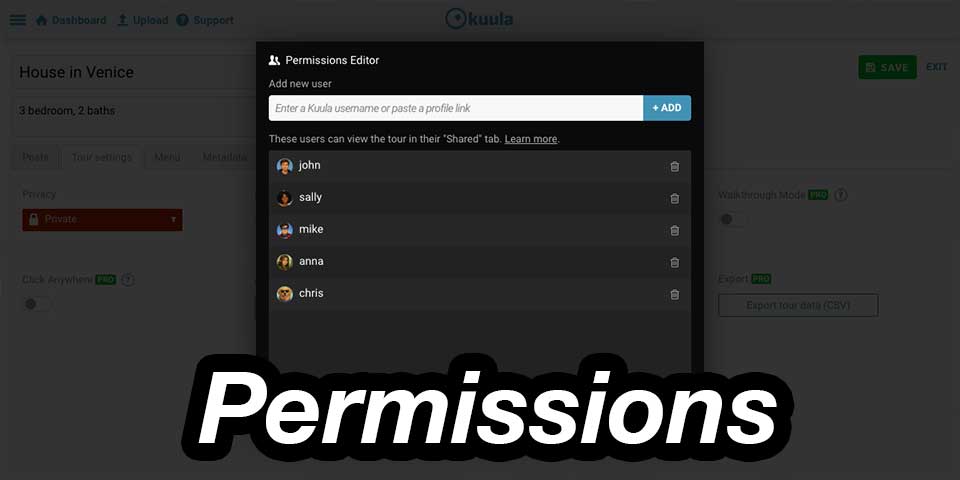
Sharing a virtual tour with your team just got a lot easier. With our new Tour Permissions, Kuula Business users can give specific people access to a tour without making it public, unlisted, or sharing a password.
Until now, sharing a private tour often meant choosing between keeping it completely private or making it accessible through a link. Permissions add a new option: keep the tour private and decide exactly who should be able to see it.
This can make a big difference when you're working with a team, a client, or anyone else who needs regular access to a project.
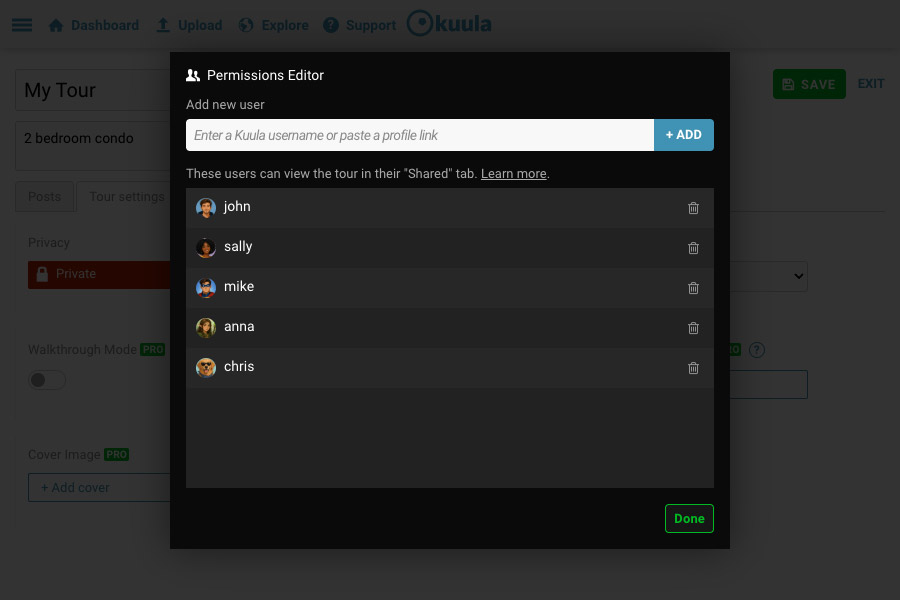
Instead of sending links around, managing passwords, or changing privacy settings back and forth, you can add a Kuula user directly to the tour. Once added, they can access it from their own account whenever they need it.
Private, but shared with the right people
A tour shared using Permissions can remain fully Private.
Only the Kuula users you explicitly add will be able to access it, and access is tied to their individual Kuula accounts. Forwarding the tour link to someone else will not give that person access.
This makes Permissions especially useful for projects that are still in progress, internal presentations, client reviews, architectural or real-estate projects, and any other situation where you want to keep a tour away from the public while still making it easy for a small group to access.
No more hunting for links
Tours Shared with me now appear directly in the new Shared with me section of the Kuula dashboard.
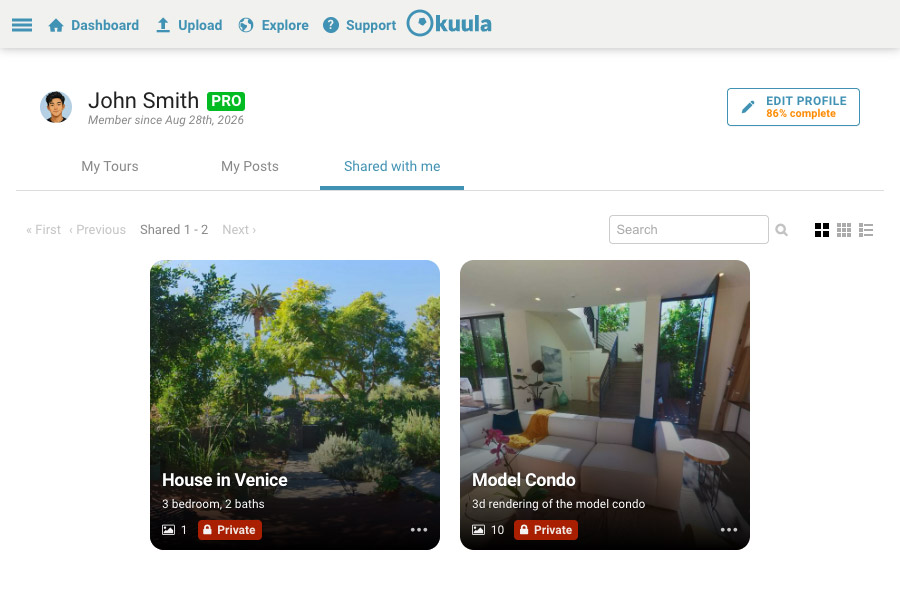
That means everyone involved in a project has one predictable place to find the tours they have access to.
For teams working across several projects, this can remove a surprising amount of everyday friction. No searching through old emails or chat messages, no asking someone to resend the link, and no wondering whether you're looking at the right tour.
Just sign in to Kuula and it's there.
Stay in control
The tour owner remains in control at all times.
You can add users whenever someone joins a project and remove them when they no longer need access. Once a user is removed, they can no longer open the tour and it disappears from their Shared with me section.
Permissions also work independently from regular Kuula privacy settings, so you don't have to change the way a tour is presented to everyone else just because a few specific people need access.
Built for collaboration
This is the first step toward making Kuula much better for teams.
Tour Permissions are available now for Kuula Business accounts and currently provide secure viewing access for selected users.
We're also working toward expanding Permissions further, including the ability to grant editing access to team members. That's on our roadmap, and it will turn Kuula into an even more powerful place for teams to build, review, and manage virtual tours together.
Learn more in our Tour Permissions tutorial.